Schedule a Discovery Call Here?
Just Click the button below:
Act Now and schedule a free call to identify how to discuss where you are and where you want to be on LinkedIn with your business, and we can discuss achieving the growth and impact you deserve.
I seek to only work with driven solopreneurs ready to commit to putting in the work to grow on LinkedIn. Only those serious about doing some work and taking actionable steps are invited to join me.

Or Send Me a Message Here?

Interested in discussing working together? Great! If you would like to discuss a project, send me a message.
Just Click the Button Below
Send a Message
FREQUENTLY ASKED QUESTIONS
Your Title Goes Here
Your content goes here. Edit or remove this text inline or in the module Content settings. You can also style every aspect of this content in the module Design settings and even apply custom CSS to this text in the module Advanced settings.
Your Title Goes Here
Your content goes here. Edit or remove this text inline or in the module Content settings. You can also style every aspect of this content in the module Design settings and even apply custom CSS to this text in the module Advanced settings.
Your Title Goes Here
Your content goes here. Edit or remove this text inline or in the module Content settings. You can also style every aspect of this content in the module Design settings and even apply custom CSS to this text in the module Advanced settings.
Your Title Goes Here
Your content goes here. Edit or remove this text inline or in the module Content settings. You can also style every aspect of this content in the module Design settings and even apply custom CSS to this text in the module Advanced settings.
Your Title Goes Here
Your content goes here. Edit or remove this text inline or in the module Content settings. You can also style every aspect of this content in the module Design settings and even apply custom CSS to this text in the module Advanced settings.
I am a Speaker
I also speak at online events and Workshops when I believe the content I can offer is relevant!

Some Testimonials
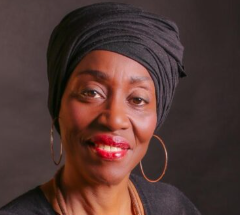
I found that with both working Rosemary and learning about LinkedIn from Rosemary has been a seamless experience. Rosemary has been very professional in previous encounters and my ongoing relationship with her is continuing to help me with the planning of my summit. I learned a lot from Rosemary's LinkedIn training which has helped me with not only my presence on LinkedIn but also with my marketing of The Worthy Women Summit. I have recently collaborated with Rosemary in a podcast which I found very professional and uplifting. Her communication style and expertise on my subject was on point. I have been thinking of starting a podcast of my own and Rosemary has given me great pointers to move me forward. Apart from Rosemary's expertise and knowledge her method of imparting her knowledge has really helped me in going forward. She has a fun personality to work with and understands the world of neurodivergent and how people work. I highly recommend working with her.
"Rosemary delivered such a valuable session for our community at the Virtual Assistant Virtuosos Summit and Monthly Training Webinar.
She simplified LinkedIn marketing in a way that made it easy for service providers and small business owners to optimize their profiles and start attracting quality leads.
Highly recommend her as a speaker!''
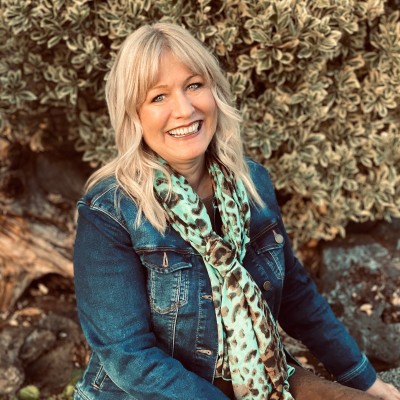
Working with Rosemary has been incredibly valuable. She has a real gift for simplifying LinkedIn and meeting you exactly where you’re at - from a beginner to an advanced LinkedIn user. Her 1:1 training and workshops are structured in clear, manageable steps, from clarifying your message and streamlining your profile and branding, to outreach strategies and the tech side of the platform. I’ve had so many aha moments working with her! What really stands out is how deeply she listens. She reflects with care, offers practical insight, and understands how important authenticity is to me in my work. Plus, I come away from each meeting smiling because I absolutely enjoy being in her presence.
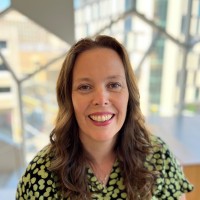
"Rosemary O'Shaughnessy Today's session was incredibly helpful - I plan to revisit how I share content based on the useful insights you presented today.
Your expertise and commitment to helping others succeed is greatly appreciated!''

"Rosemary is a masterful business and marketing strategist. She spoke at my June event on Leap Forward and captivated the audience. I am very grateful for her contributions and wisdom.
Rosemary eloquently spoke about:-Why LinkedIn classification matters -LinkedIn strategy for 2026 -The algorithm what LinkedIn rewards - Latest LinkedIn updates.
I highly recommend Rosemary and I'm personally looking forward to doing more work with her.''
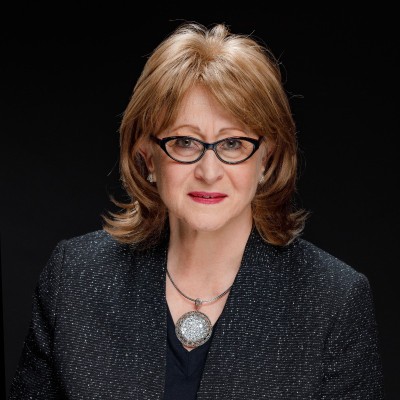
I highly recommend Rosemary's networking, webinars and 121 trainings - check out her newsletter for upcoming events that will help you make the most of your LinkedIn presence.